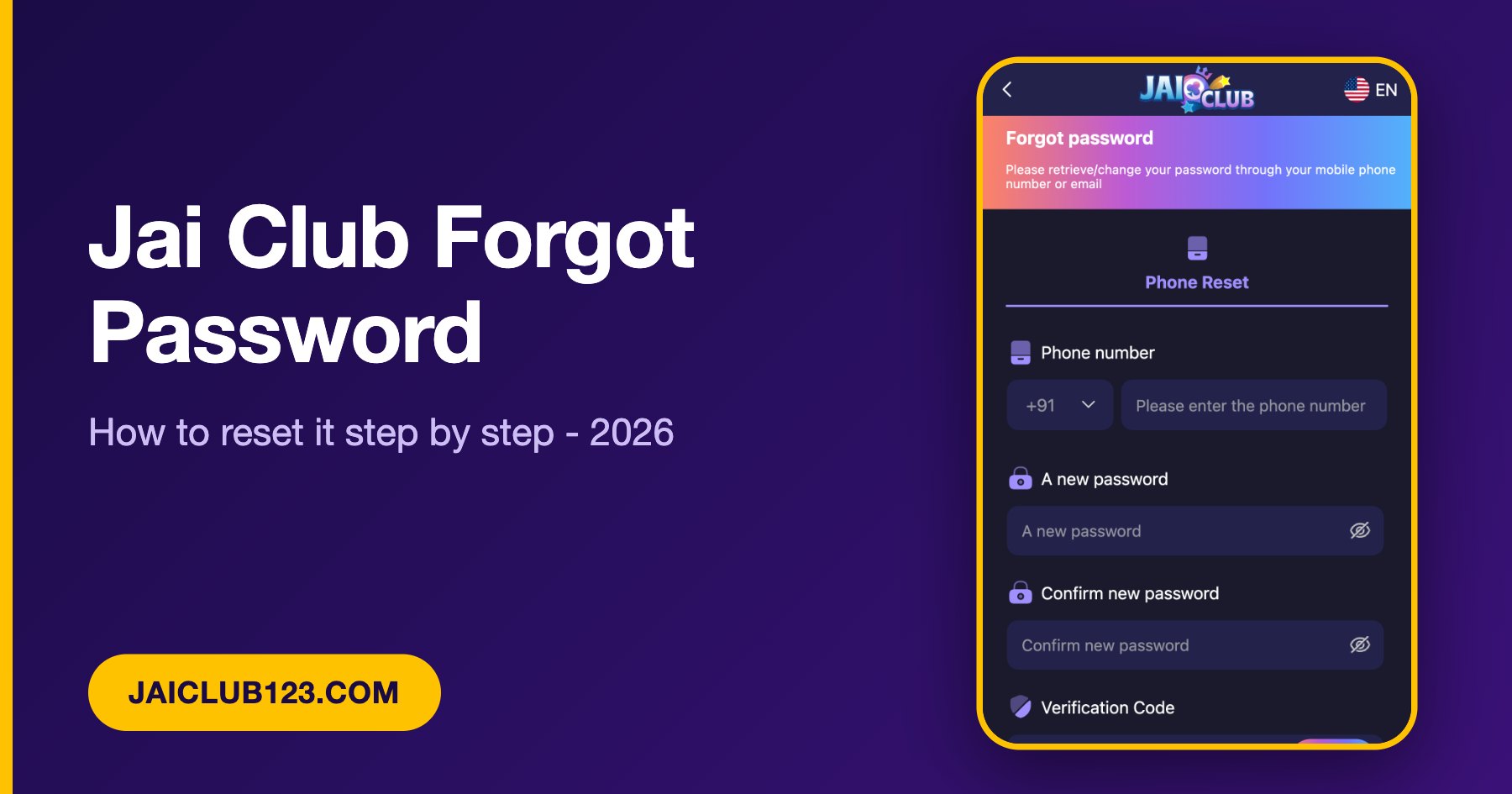
Last updated: October 20, 2026 · Written and reviewed by the Jai Club Editorial Team
Jai Club Forgot Password: What You Need First
A Jai Club forgot password problem can usually be fixed in a few minutes. You need the phone number you used when you registered and a phone that can receive an SMS verification code. This guide follows the real reset screen we checked on the Jai Club mobile site in October 2026, so each step matches what you should see.
A Jai Club forgot password reset only changes your password. Do not deposit, withdraw or share any code with anyone while you fix it. If you are not sure you are on the real site, start from our verified official website link guide and then come back to Jai Club login.
How to Reset a Jai Club Forgot Password in 5 Steps
- Open the official Jai Club login page and tap Forgot password? under the Password box.
- On the Forgot password page, which says you can retrieve or change your password through your mobile phone number or email, choose Phone Reset. Keep the country code +91 for India and enter your phone number.
- Type your new password in A new password and repeat it in Confirm new password.
- Tap Send next to Verification Code, then enter the code you receive by SMS.
- Tick I have read and agree (Privacy Agreement) and press Reset. Then log in with your new password.
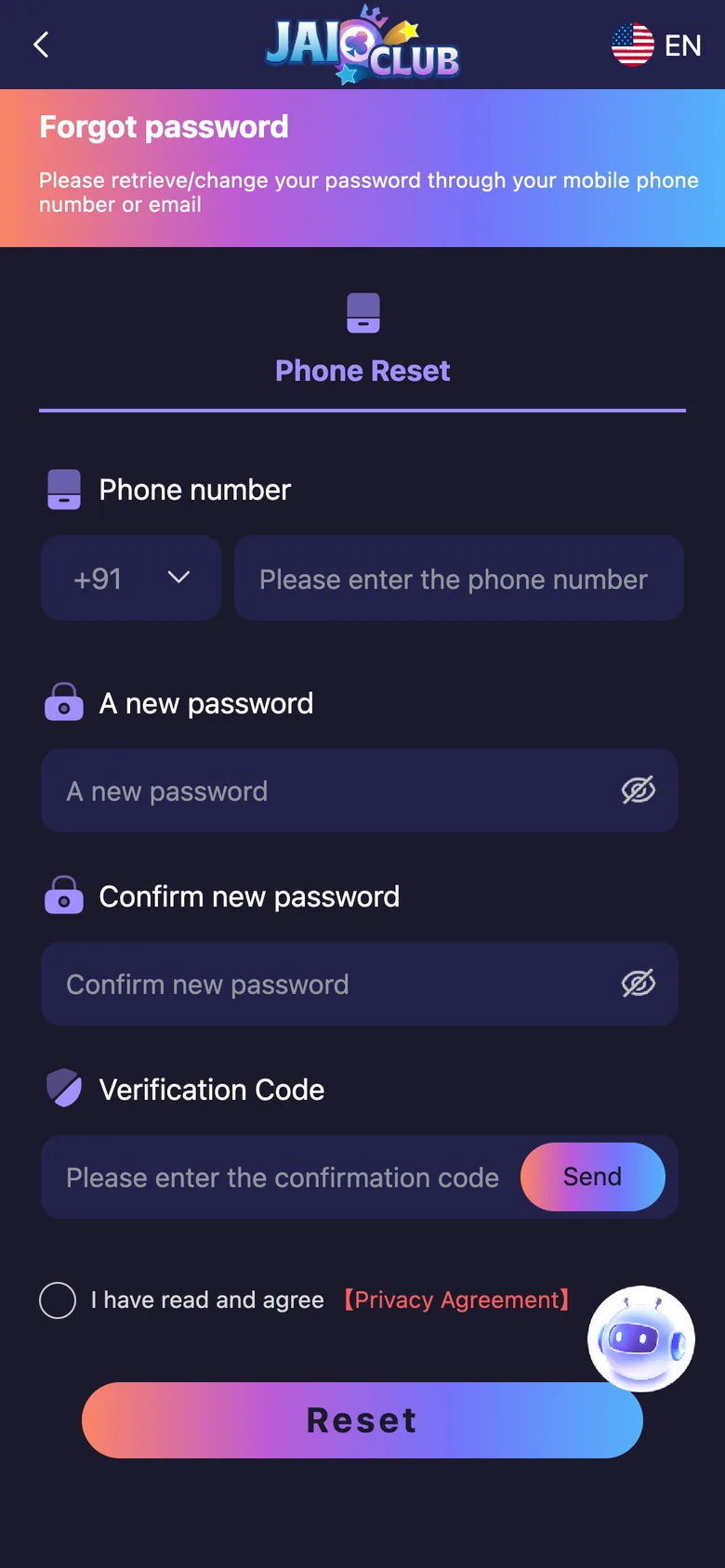
The reset page we checked offered Phone Reset. Screens can change after updates, so always follow the fields shown on your own screen.
Jai Club Forgot Password: Verification Code Not Arriving
If the code does not arrive during a Jai Club forgot password reset, work through this list:
- Check that your phone has network signal, and try switching between Wi-Fi and mobile data.
- Make sure the country code is +91 and the number is exactly the one you registered with.
- Check that DND or SMS filtering is not blocking messages from short codes.
- Wait at least two minutes before tapping Send again. Many taps in a row can delay the message.
- Close the page, reopen the login screen from the official link and try again, or try another mobile browser.
- Restart your phone and make sure your SIM can receive SMS from other services.
Password Safety Tips
- Never share the verification code. Real support does not need it, and anyone who asks for it is trying to take over your account.
- Beware fake recovery agents. People on Telegram or WhatsApp who offer to recover your account for a fee are scams.
- Choose a password you do not use anywhere else, especially not your bank or UPI app.
- Log out on shared phones, and keep your phone locked.
Our real or fake review lists more warning signs to watch for.
If Your Jai Club Forgot Password Reset Does Not Work
If the reset still fails, the number you enter may not match the one on the account, or the account may have been created another way. The login screen itself says to contact customer service if you forget your password. Inside the app you can find Customer Service under the Service center on the Account tab, and our customer care guide explains how to contact support safely. Give only the details they ask for about your account, never your password or verification code, and never pay anyone to fix a login.
Frequently Asked Questions
How do I reset my Jai Club password?
Open the login page, tap Forgot password, choose Phone Reset, enter your phone number and a new password, request the verification code with Send, enter it and press Reset.
Can I reset my Jai Club password with email?
The login screen lets you choose Phone Number or Email, but the reset page we checked showed a Phone Reset option. If your account was made with email and you do not see an email option, ask Customer Service inside the app.
Why is my Jai Club verification code not arriving?
Check your signal, the country code and the number, and any DND setting for SMS. Wait a couple of minutes before tapping Send again, because repeated requests can delay the message.
Should I share my verification code with Jai Club support?
No. A verification code is private. Real support does not need it to help you, so never give it to anyone who contacts you on Telegram, WhatsApp or by phone.
Does resetting my password change my balance?
No. A password reset only changes the password. If you notice anything odd afterwards, check your history and contact support.
Next Steps
After a Jai Club forgot password reset, log in and check your history before you do anything else. If a payout is delayed, see Jai Club withdrawal not received, and read our game history guide to find your records.
Play within limits and never treat gaming as income. For free support, visit BeGambleAware.org and read our responsible gaming page. This website is independent and does not operate Jai Club. You must be 18 or over.